
Diabetes diary backup
Back up a diabetes diary on your terms
Glytrio creates local JSON backups and PDF or CSV reports. You choose when to export, where to share a file and whether to use an optional passphrase. There is no automatic cloud restore or account-based recovery.
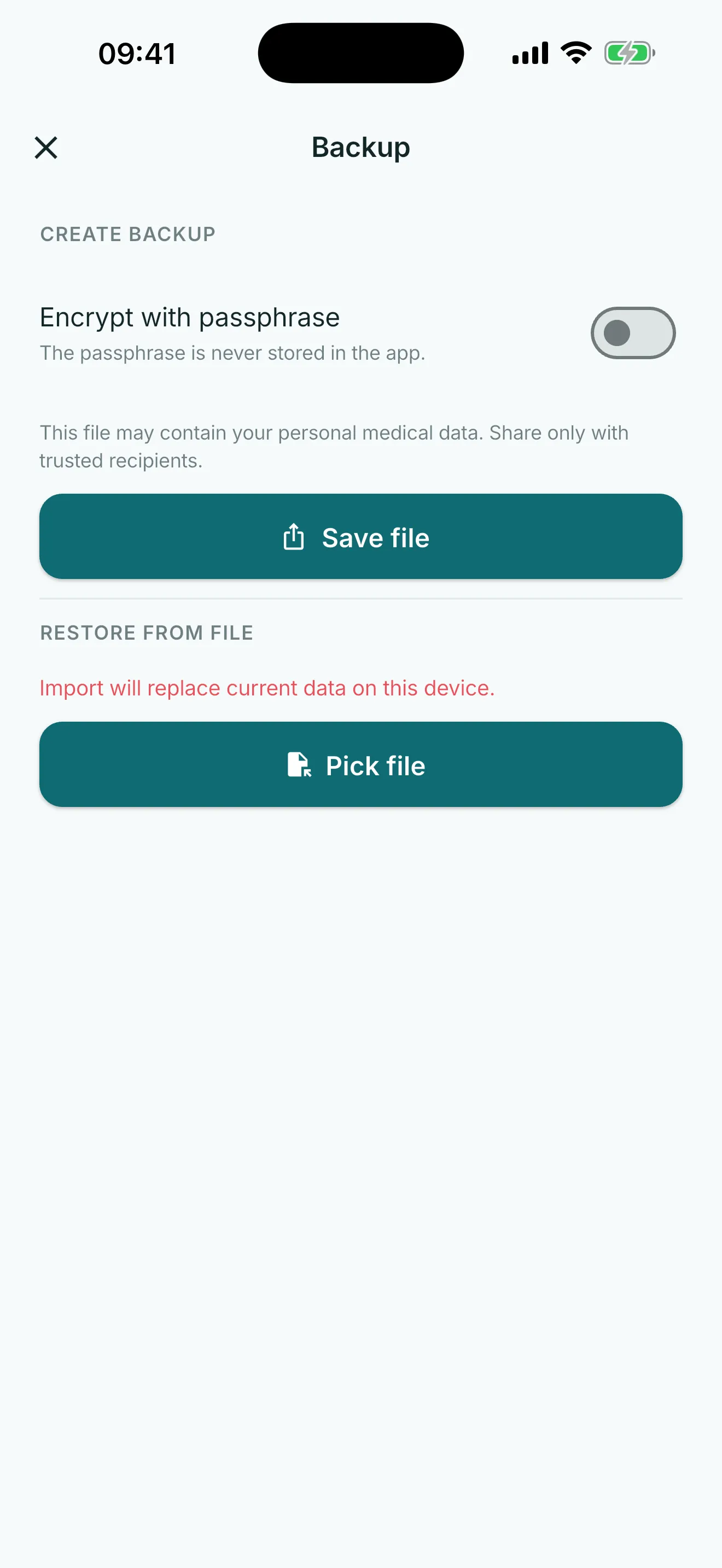
Local records and local files
Diary records live on the device. A report is a readable PDF or CSV record; a backup is a JSON file intended for manual import into Glytrio.
Creating a file does not upload it. Choose a share destination only when you want a copy outside the device.
Manual export and replace-all import
Start export from the app, keep the resulting file in a place you choose, and select it manually when importing. Review the file choice before confirming: import replaces the current diary data on that device.
There is no automatic backup schedule, cloud copy, account-based restore or recovery. A missing manual backup cannot be recreated by Glytrio.
Optional passphrase protection
An optional encrypted backup uses a passphrase chosen by the user. Keep that passphrase separately: Glytrio does not store it and cannot recover it for you.
Encryption protects the backup file, not a destination you later choose to share with.
What the file does not cover
The backup excludes the barcode lookup cache and app settings, including active-profile selection. Import replaces data for all local profiles; check the file and import confirmation before replacing data.
Glytrio checks backup integrity during its local backup flow. Backups and reports preserve records; they do not interpret them or provide medical advice.
Questions
Common questions
Does Glytrio automatically back up my diary to the cloud?
No. Backup is manual. Glytrio does not promise automatic cloud upload, sync or recovery.
Can I import a Glytrio backup?
Yes. Select a Glytrio backup file manually in the app. Import replaces current diary data on that device after confirmation.
Can Glytrio recover a forgotten backup passphrase?
No. Keep an optional backup passphrase safely; Glytrio cannot recover it.